

Adjusting Permissions
Adding Permission to a dataset for a new App
Most Apps you have Connected will automatically have permission to access each dataset coming in starting from the connection date and time. There are three exceptions: the App submitting a dataset can name a narrower list of Apps at submission time, DDx Exchange must always be permissioned explicitly, and a BigQuery App is skipped until its connection has been tested. Use the steps below to permission any App that was skipped.
In order to add an App permission tag to a dataset, you will need to:
- Log into your DDx API Console.
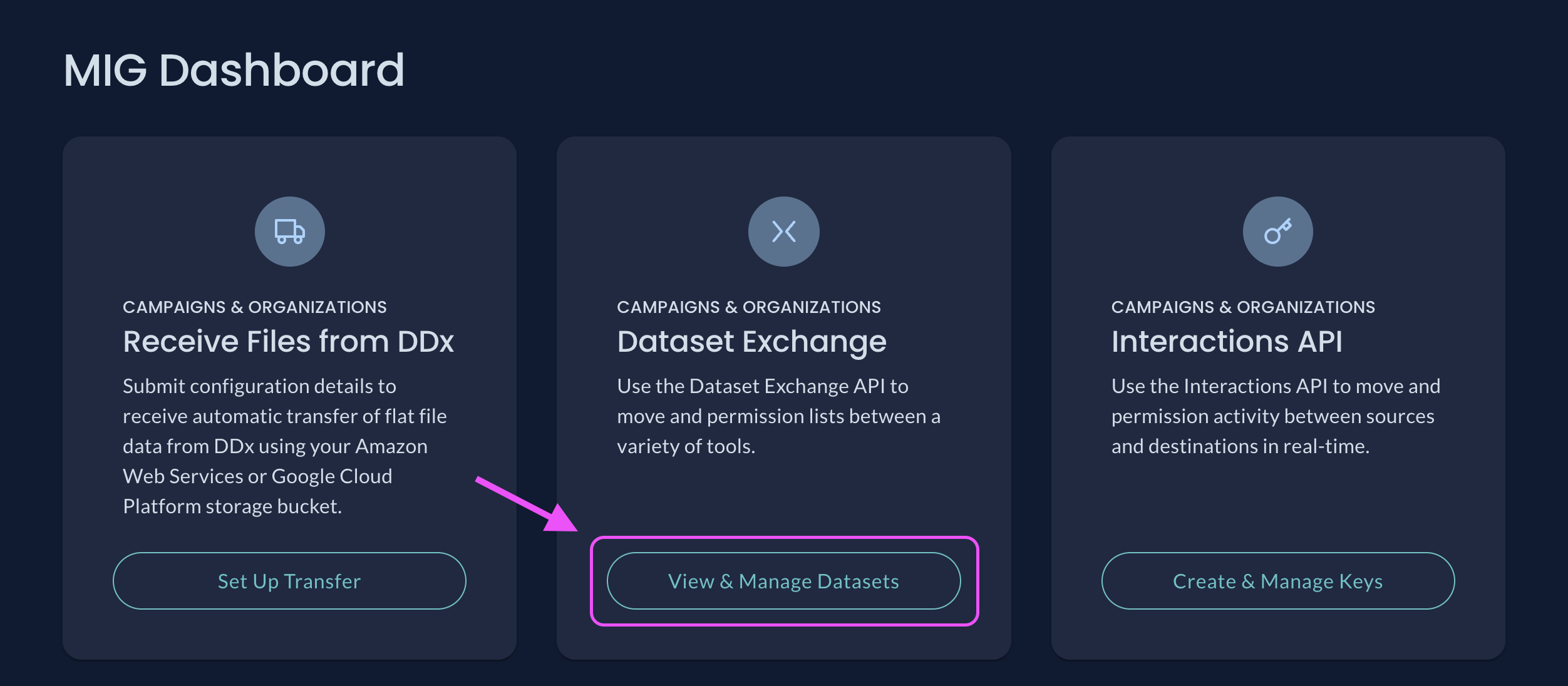
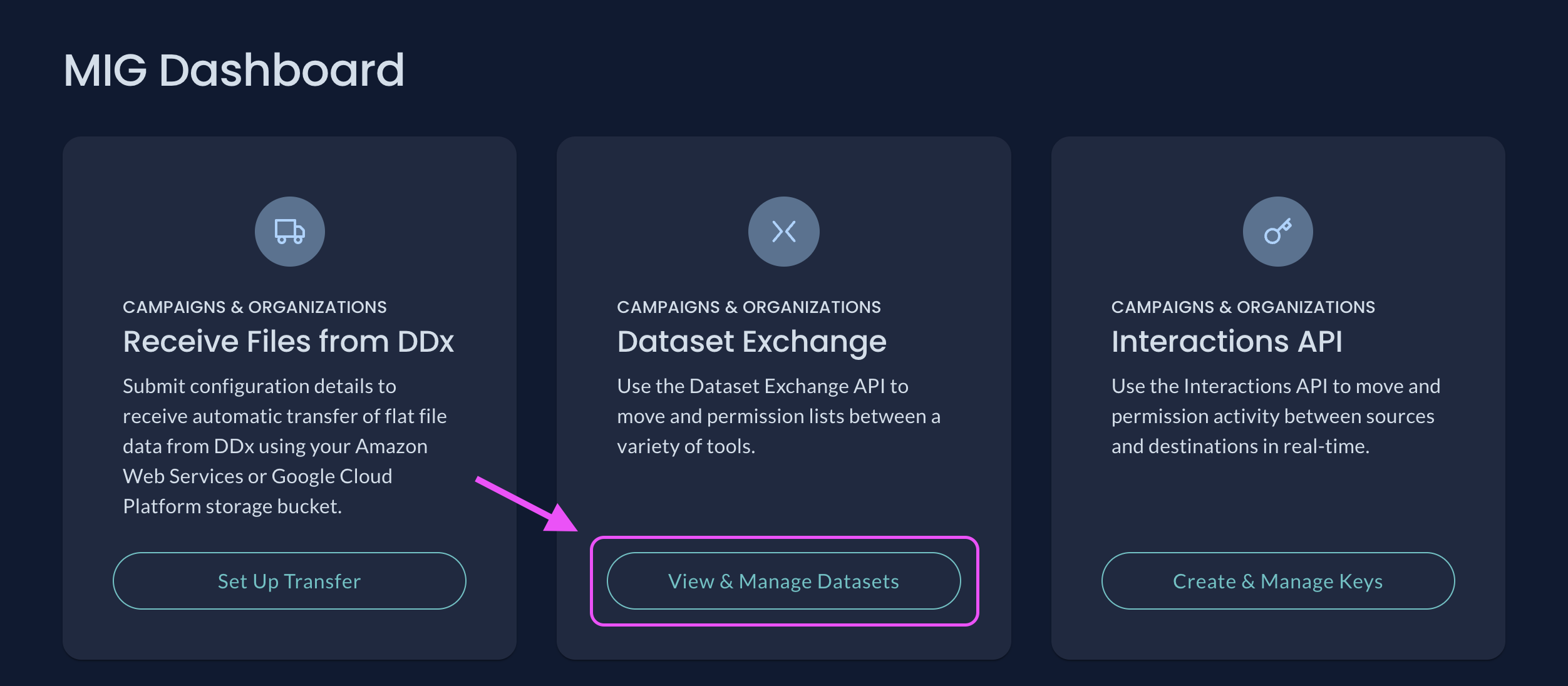
- Visit your Dashboard and select View & Manage Datasets.
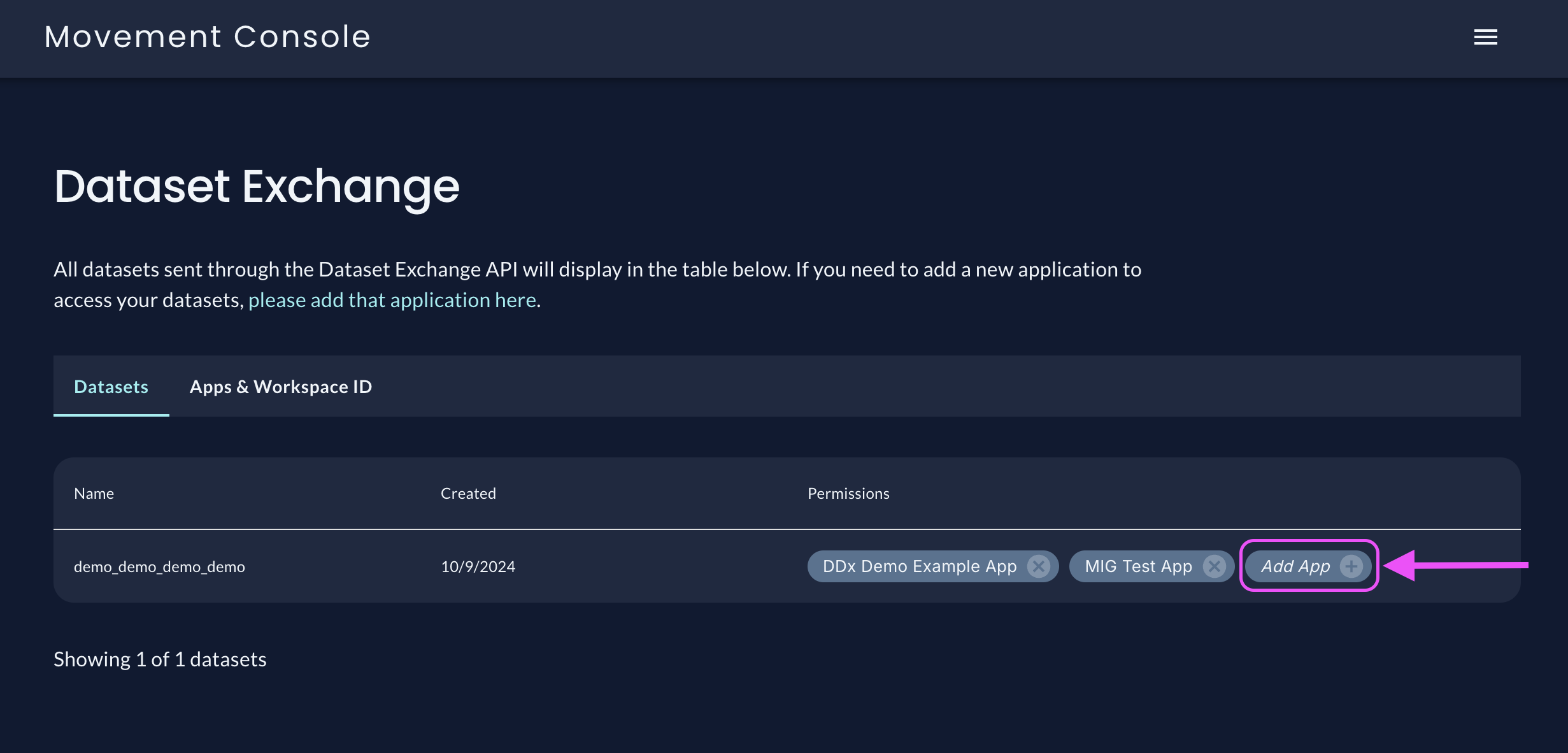
- In the list of available datasets, find the dataset you want to grant an App permission to access.
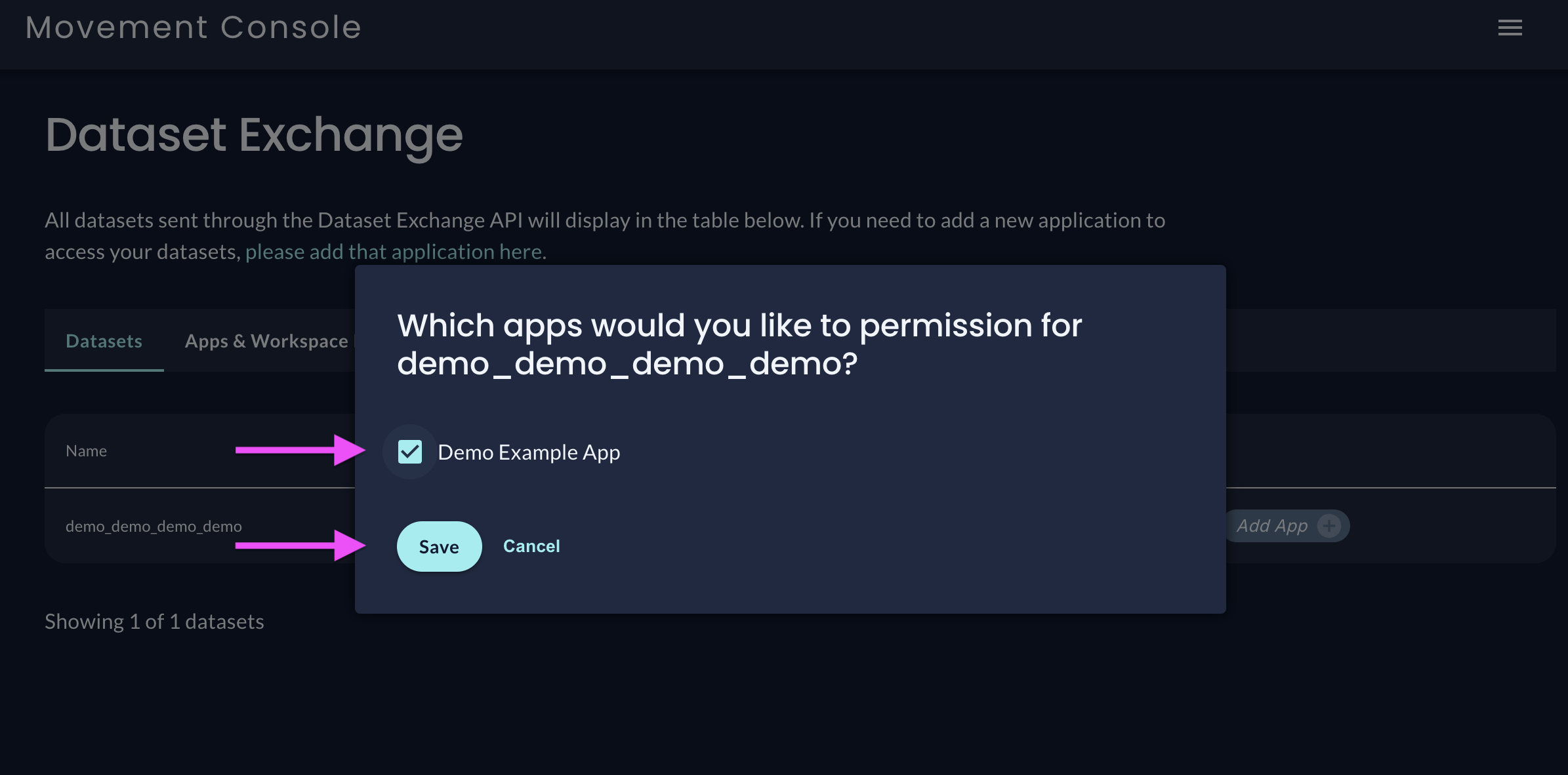
- Click the + and select the App(s) you want to grant access permission. You will only see Apps you've already Connected to as options. Please note, you will only see the + if you have available Apps that do not already have permission to access your dataset.
- Click Save
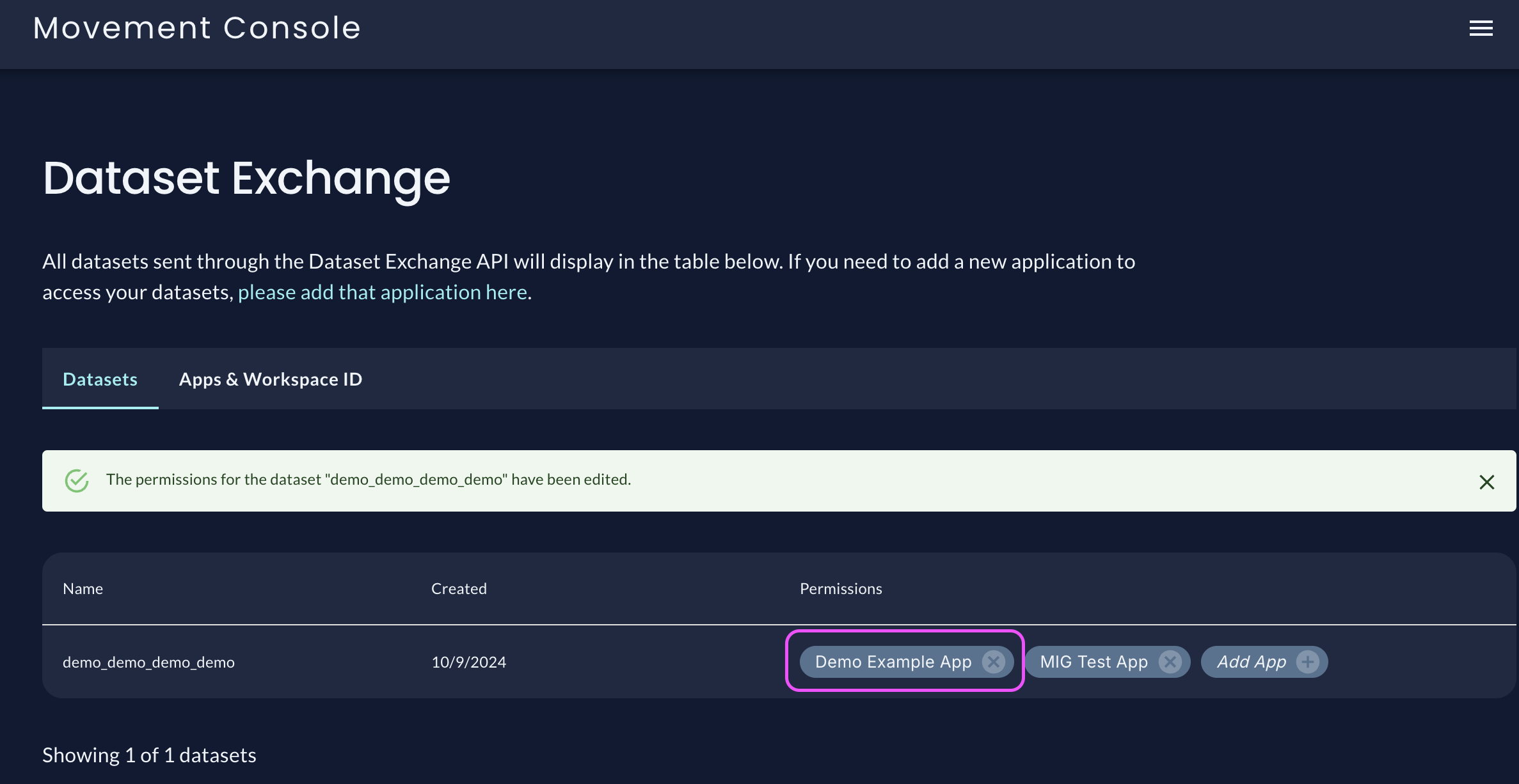
- Done!
If the dataset already contains records, permissioning an App that is a delivery integration (Switchboard, Scale to Win, BigQuery, VAN, Reach, or DDx Exchange) sends that data to the App right away. Removing the permission afterwards does not recall data that has already been delivered.
Moving forward, if the dataset is updated, the permissions will remain saved.
Removing Permission
Each App you have Connected will automatically have permission to access each dataset you submit starting from the connection date and time. You can permission access to your datasets on an individual basis. If you'd like to remove access to a single dataset, while preserving access to other datasets, you can:
- Log into your DDx API Console.
- Visit your Dashboard and select View & Manage Datasets.
- In the list of available datasets, find the dataset with permissions you want to change.
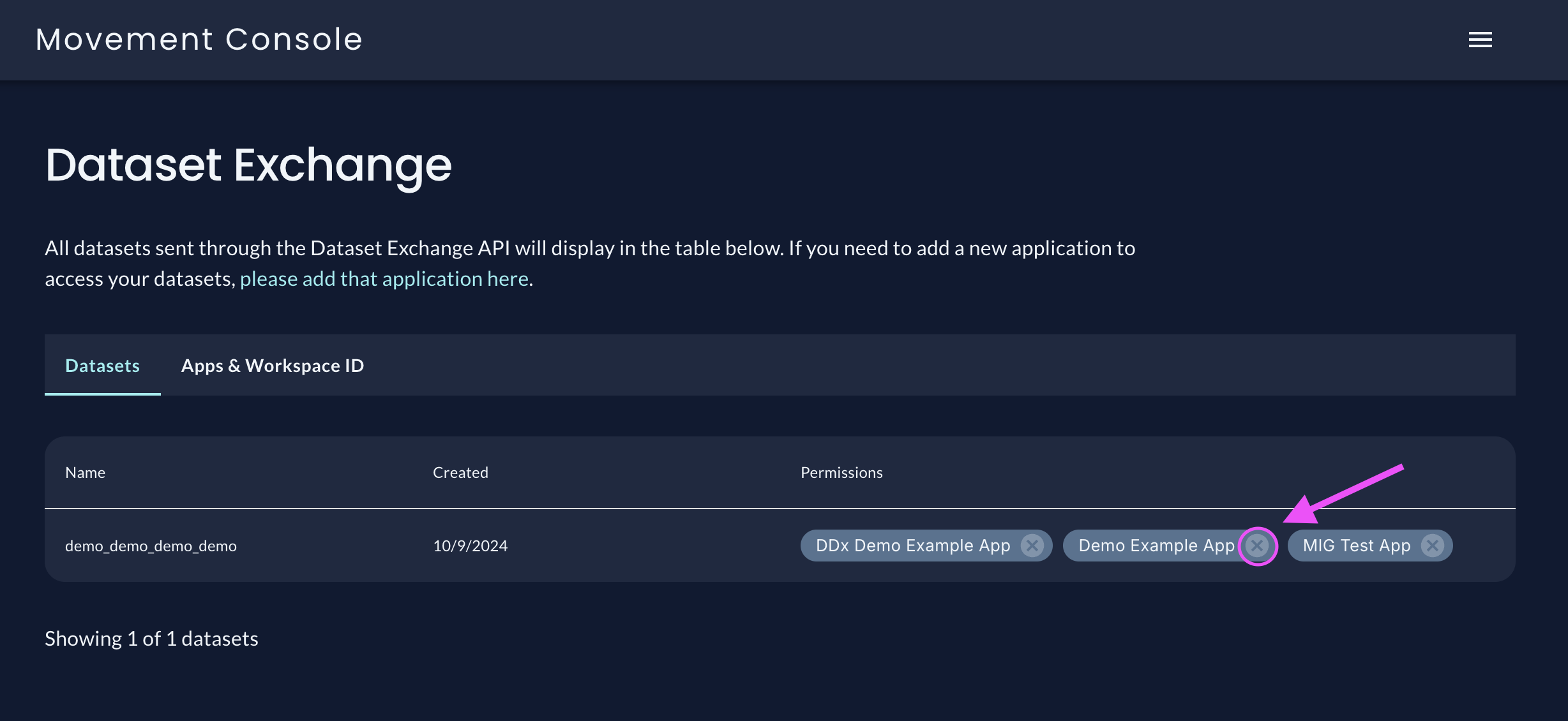
- Click the X next to the App you want to remove.
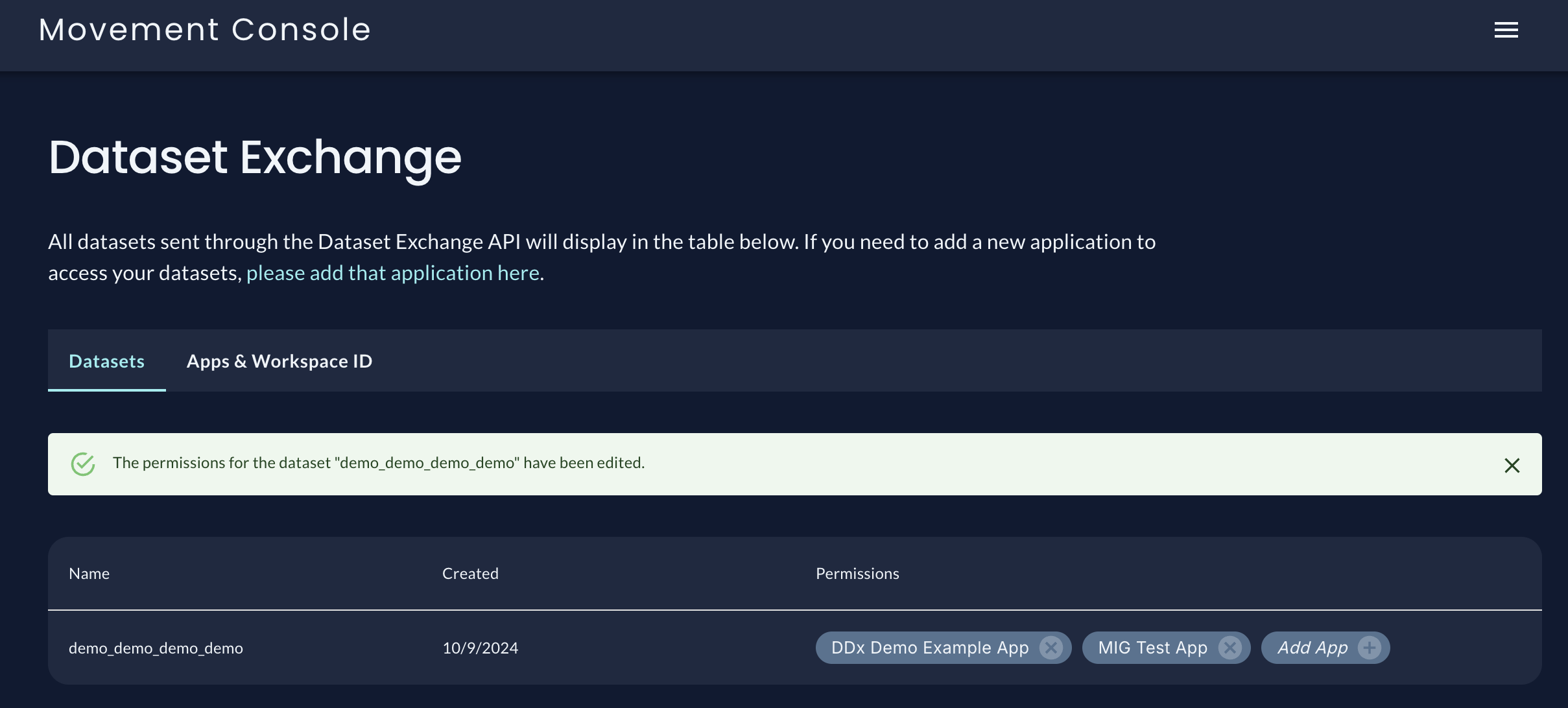
- Done!
Screenshot Walkthrough Adding Permission for a New App
Screenshot Walkthrough Removing Permission for an App
Updated 2 months ago