

Receiving Data from DDx Exchange
Options for Receiving Data from the DDx Exchange:
If you use AWS or GCP as your File Storage Service, your Exchange data can be delivered to an S3 or GCP Bucket. Please see guide below!
If you are a BigQuery user, you can have your subscriptions & one-time downloads from the Exchange delivered directly to BigQuery. Check out our guide here!
Contact us if you have questions about your data delivery options!
If you use CTA for data storage solutions, contact us at [email protected] and we will help work through the process with your organization and CTA.
If you need help establishing a GCP or AWS account and do not use CTA, please contact us at [email protected] to provide additional support.
Organizational Workspace RequiredIn order to receive data through our APIs, you must have an Organizational Workspace. Please see below if you do not yet have a Workspace!
Existing Exchange clients with Personal Workspaces:
Request an Organizational Workspace by reaching out to [email protected] or directly to the Client Success Team. DDx will set your Exchange client slug on your Organizational Workspace; the Workspace name itself does not have to match the slug.
Existing Exchange clients with Organizational Workspaces:
Contact us to confirm your Exchange client slug is set on your Organizational Workspace, and reach out to [email protected] if you have any questions!
New Exchange Clients:
Get an Organizational Workspace by submitting a request to [email protected]
AWS S3 & GCP Bucket Set Up Guide:
Please read the following instructions carefully to ensure seamless delivery of your data from the DDx Exchange!
1. Set Up Your File Storage Service and Bucket
- To receive data from DDx, you will need to have an account with Amazon Web Services (AWS) or Google Cloud Platform (GCP), and create a bucket where DDx can deliver data.
- You find find resources for creating an account and configuring here.
2. Set Up Your Bucket To Receive Data
- Bucket Naming Convention - There is not a requirement for a particular bucket name, but we suggest naming your bucket based on the direction the data is flowing. To receive files from DDx, your bucket name might be
data-from-ddxorfrom-ddx.
3. Set Up The Required Permissions On Your Bucket
- Permissioning - In order to successfully submit your credentials to the DDx Exchange for GCP or AWS, there are specific permission requirements for each option. Read through the following instructions on required permissions for receiving data from DDx.
GCP Instructions For Receiving Data from DDx
-
Set up a dedicated GCP Bucket to receive data and provide the GCP Bucket Name.
-
You can find the GCP Permissions Resource guide here.
-
Grant write access on your bucket by giving Storage Legacy Bucket Writer access to the following DDx Service Account: project-896394173944@storage-transfer-service.iam.gserviceaccount.com.
AWS Instructions For Receiving Data from DDx Exchange
- Retrieve your AWS S3 Bucket name, Access Key ID, and Secret Access Key
- Optionally, a Sync Path to write files under a prefix within the bucket. If you supply one, it must end in a
/.
GCP Permissions ResourceYou can find the GCP Permissions Resource guide here.
AWS S3 PermissionsYou can find the AWS S3 Permissions Resource here.
4.Provide your credentials to DDx Exchange in the DDx API Console
- Once you have a file storage service in place, provide your information and credentials through the DDx API Console Dashboard under the
Receive files from DDxtile. - Select your file storage service from the drop-down menu and enter a confirmation email address. The form then requires storage-specific fields based on your selection (AWS or GCP).
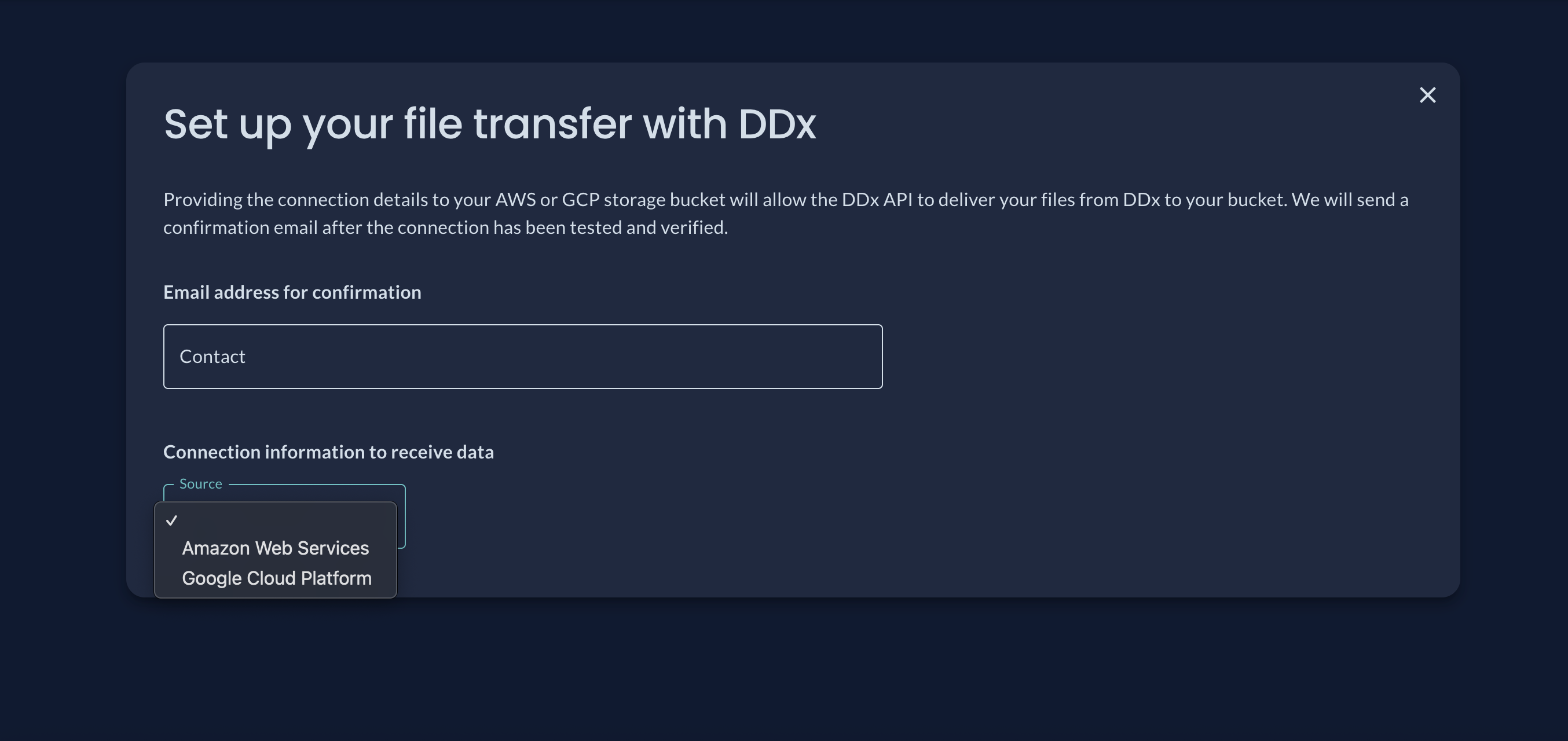
Once you've submitted your connection details, you are all set to receive data from DDx!
GCS & AWS Resources:
- Sign Up For Google Cloud Platform
- How to: Configure access using GCP
- Sign Up For Amazon Web Services S3
- How to: AWS S3 Configuration
Updated 2 months ago