

Apps
What an App is in the DDx API Console, and the difference between Dataset Exchange API and Interactions API Apps.
An App is an integration you create inside a Workspace to move data through a DDx API. Apps are created and managed by Tech Partners (the vendors and tools integrating with DDx) from the Create & Manage Applications area of the Console. API keys are issued per App, so an App is the mechanism by which a technology partner sends data on behalf of a Data Owner.
Every App is created against one of the two DDx APIs, and that choice determines how the App moves data.
Types of Apps
| Dataset Exchange API (DXAPI) App | Interactions API App | |
|---|---|---|
| What it moves | Bulk datasets (CSV, TSV, or JSON) submitted and retrieved through dataset endpoints | Voter and supporter outreach data, streamed from a Source to one or more Destinations |
| Best for | Exchanging full datasets between campaigns, organizations, and tools | Performant, near real-time movement of voter contact data in flexible data models |
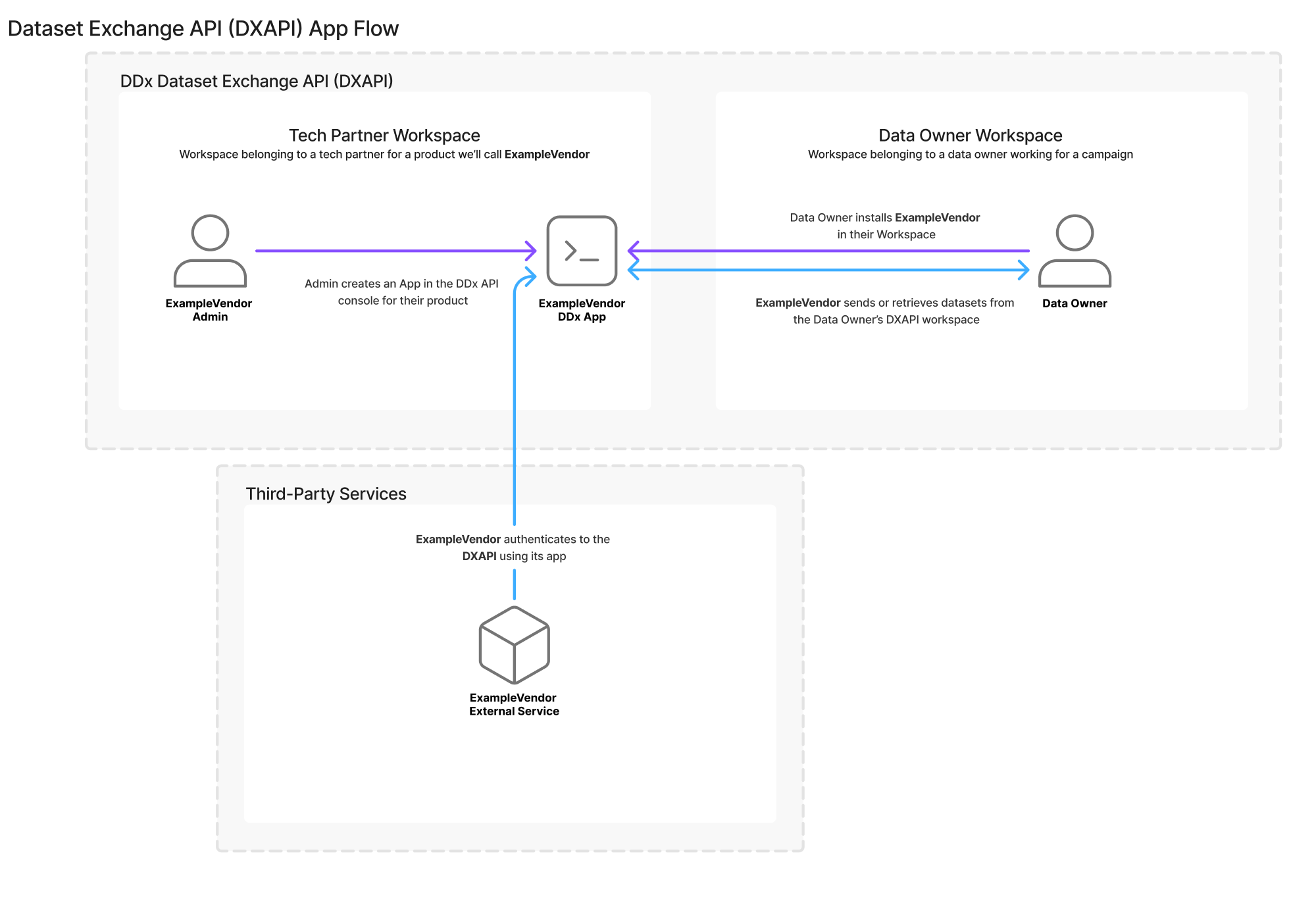
| How others connect | Campaigns and organizations connect to the App and share their Workspace Key to grant access to their datasets | Data Owners provision API keys to the App and configure it as a Source or Destination |
| Creation guide | Creating an App | Detailed Guide: Interactions App Creation |
For more on each API, see the Dataset Exchange API Overview and the Interactions API Overview.
DXAPI Apps and Flow
See the Dataset Exchange API Overview and the corresponding Getting Started Guide for full details.
Environments and sharing
When you create an App you tag it with an environment, Development or Production, and this choice is permanent. The environment controls whether the App can be shared beyond its own Workspace and whether it appears in the Admin API. See App Environments and Sharing Rules for the full details.
Have a question that isn't answered here? Reach out to us at [email protected].
Updated about 2 months ago