

Detailed Guide: Interactions App Creation
Creating an Interactions App
First, you will need to log in to your Organizational Workspace in the Console.
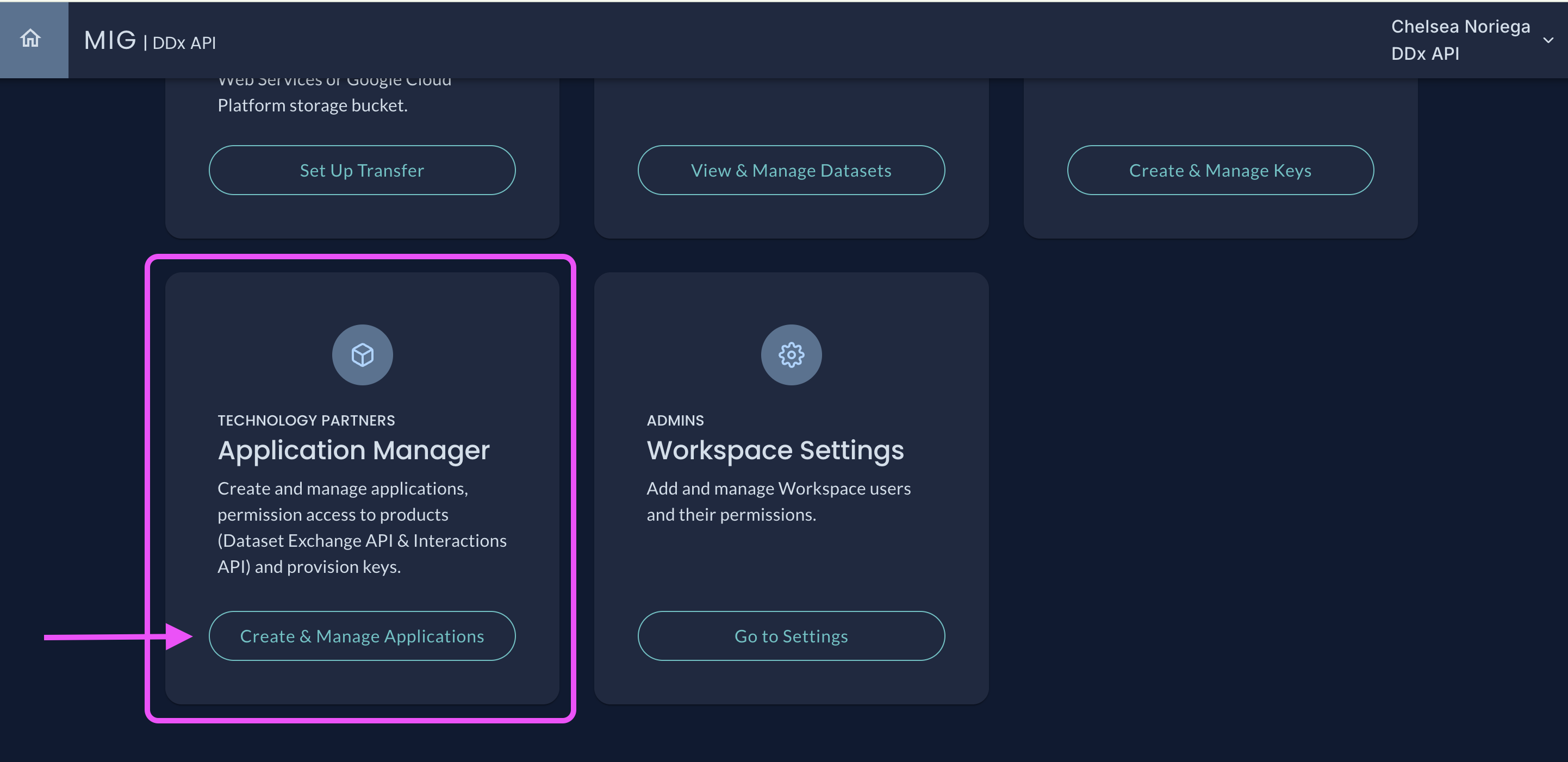
Navigate to Create & Manage Applicationsunder the Application Manager tile
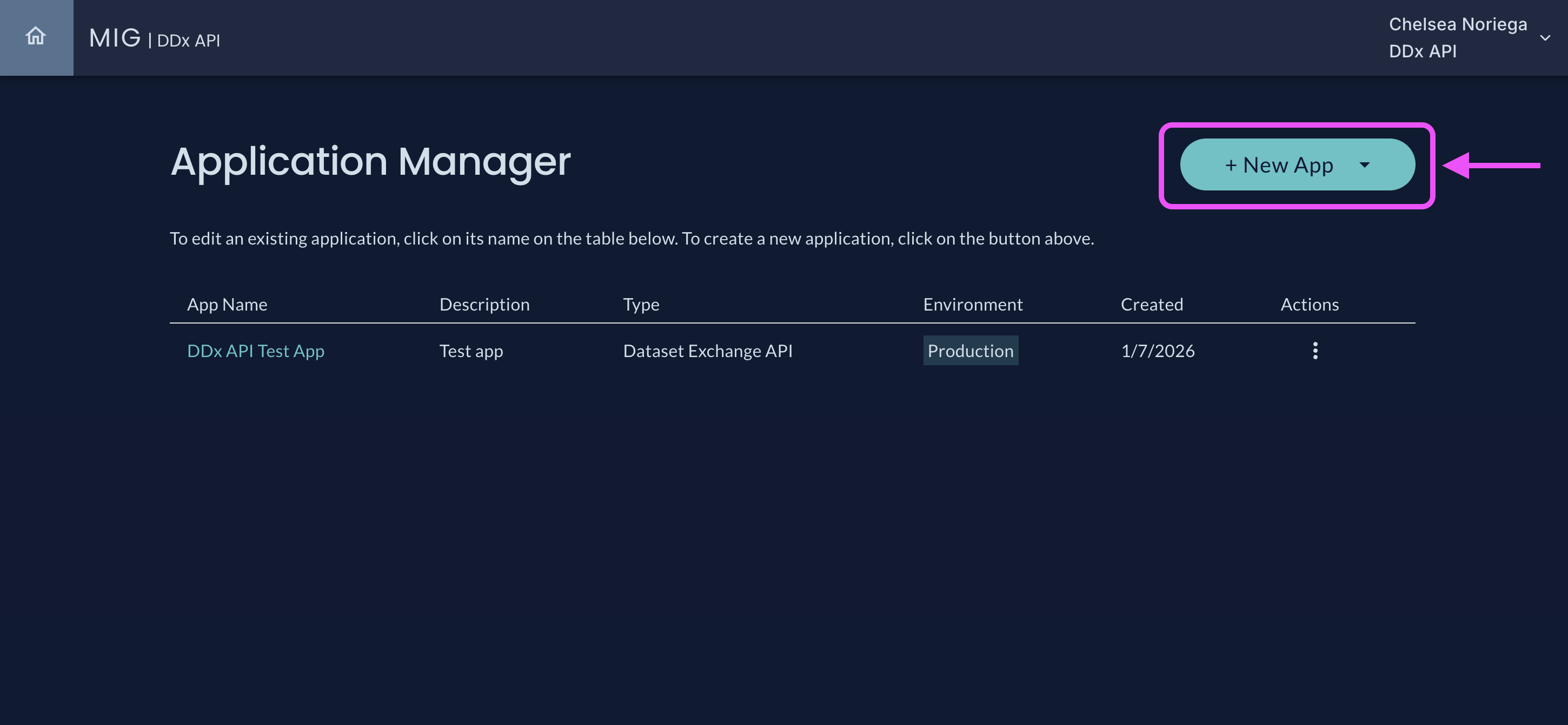
Select + New App in the Applications Manager
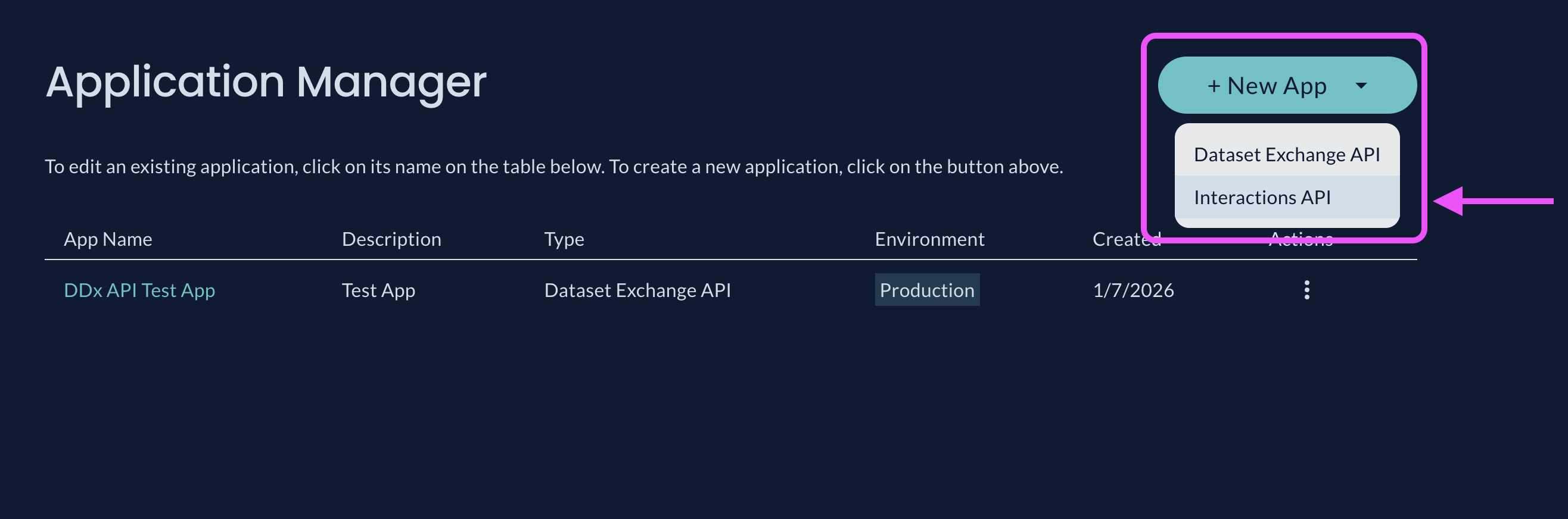
Select Interactions API from the + New App dropdown menu
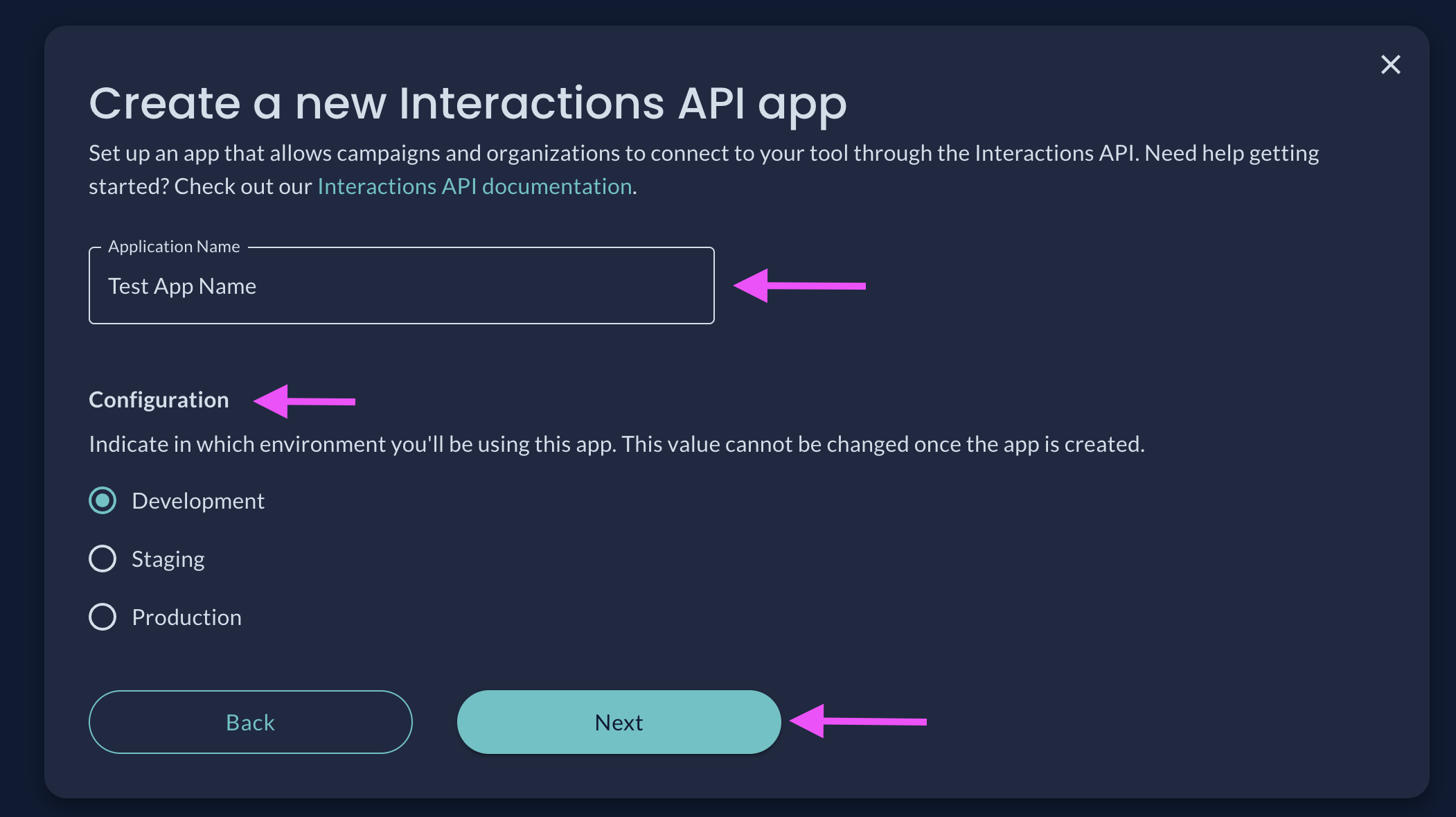
Name your App, select your Configuration, and click Next
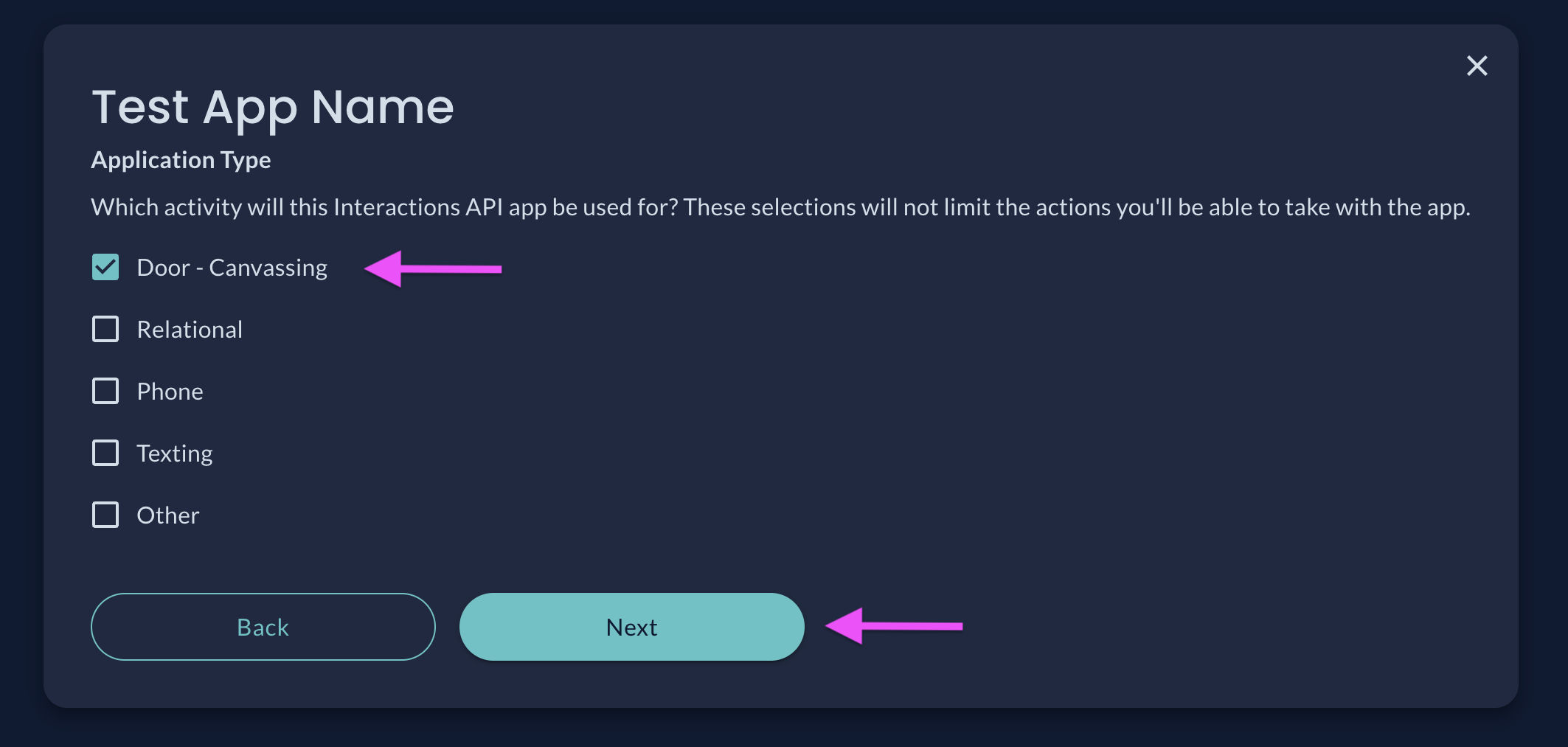
Select your App Type and click Next
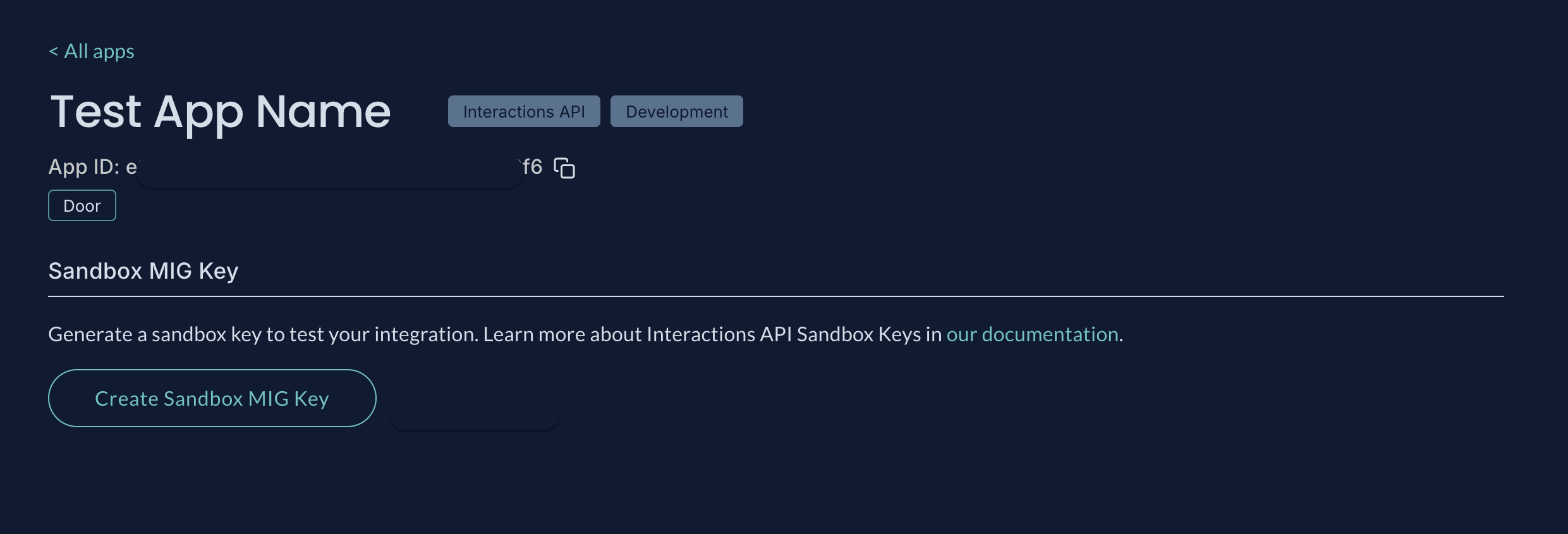
The App Details page allows you to create a Sandbox DDx API Key
Creating Sandbox Key
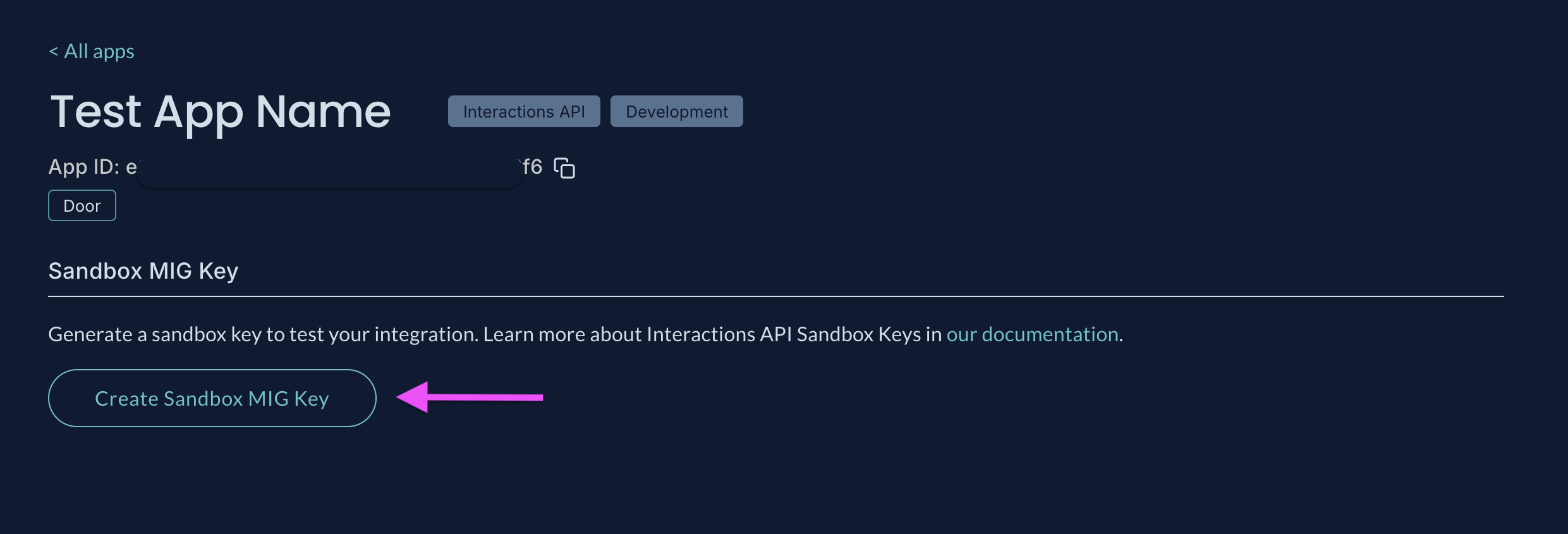
Click Create Sandbox DDx API Key on the App Details page
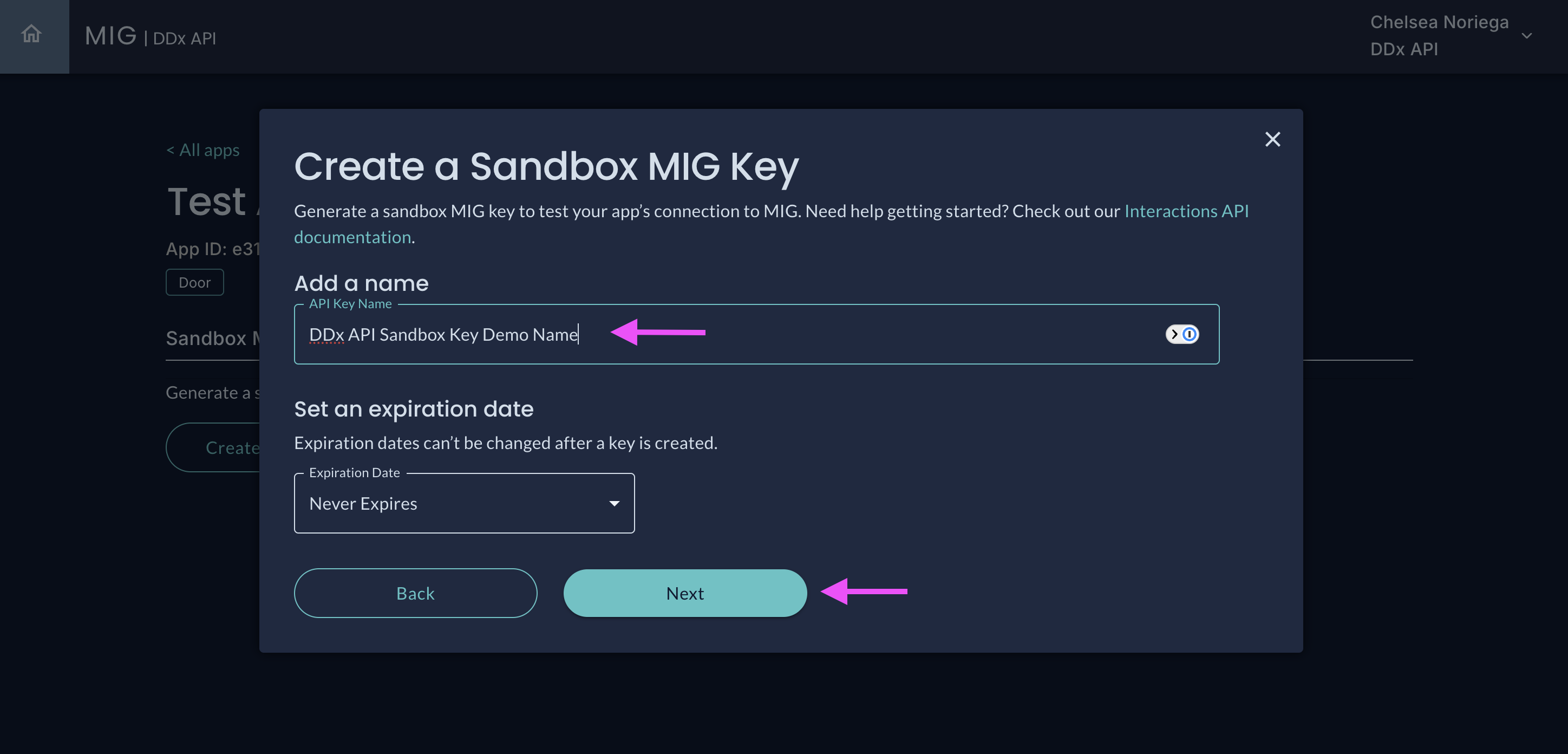
Name your Sandbox DDx API Key, optionally set an expiration date, and click Next
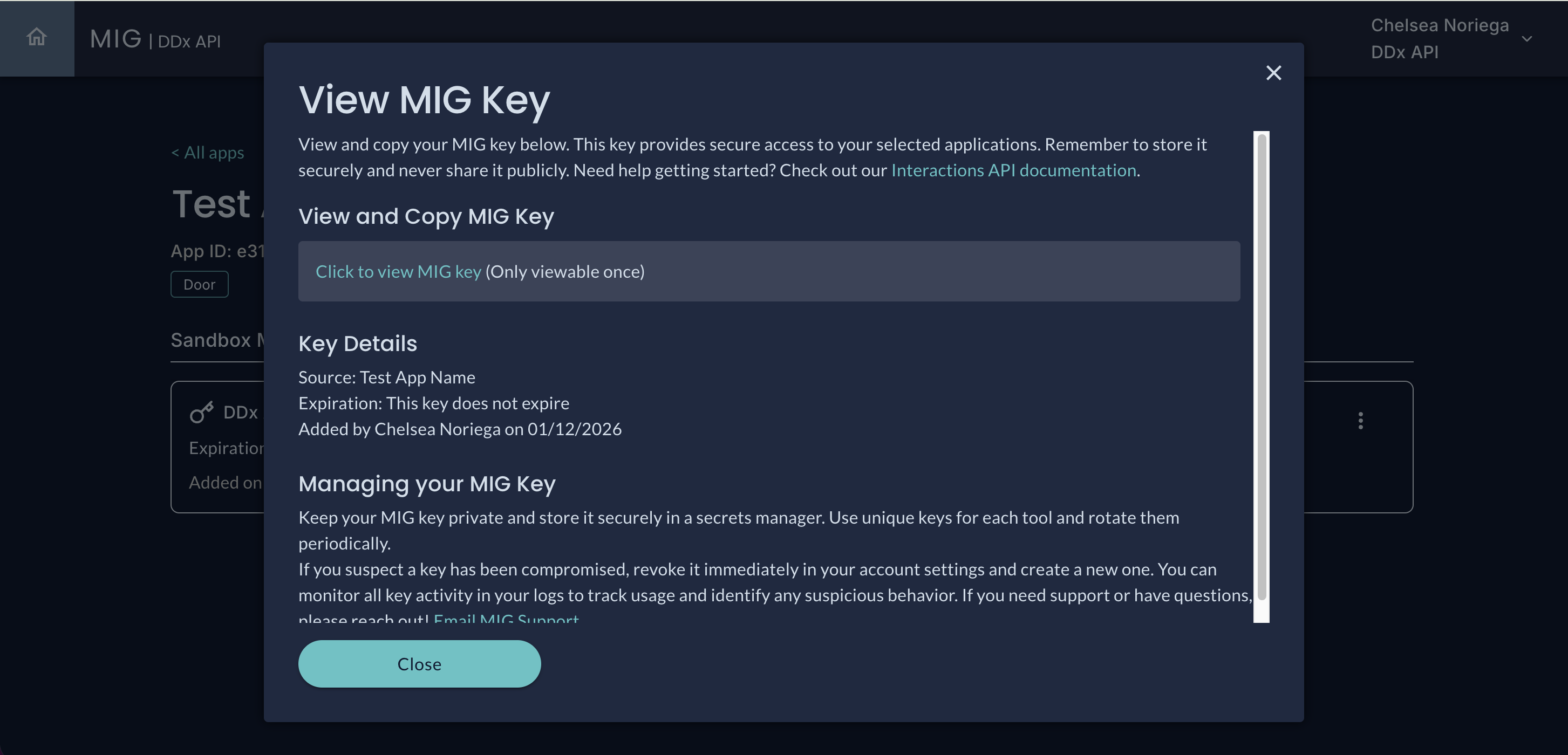
You may only view your DDx API key one time and it should be stored in a secure location
Editing Sandbox Key
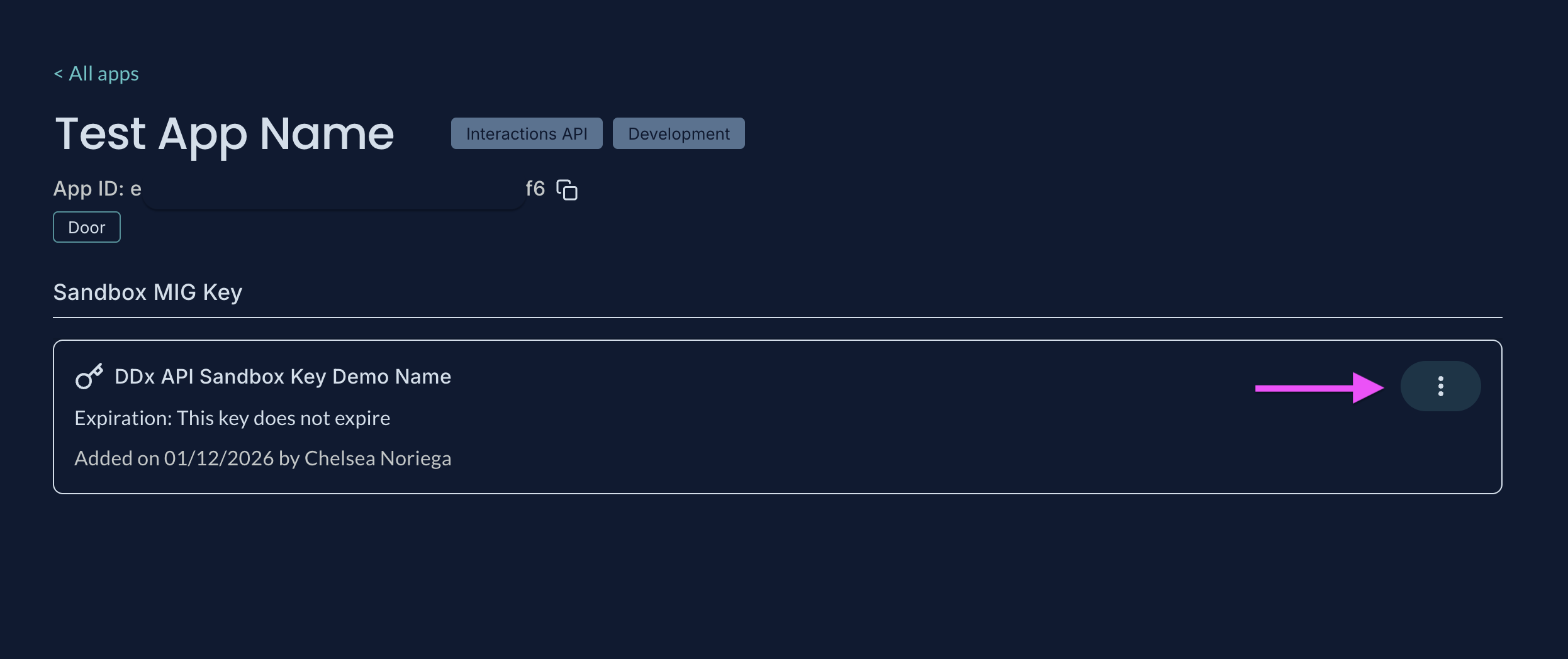
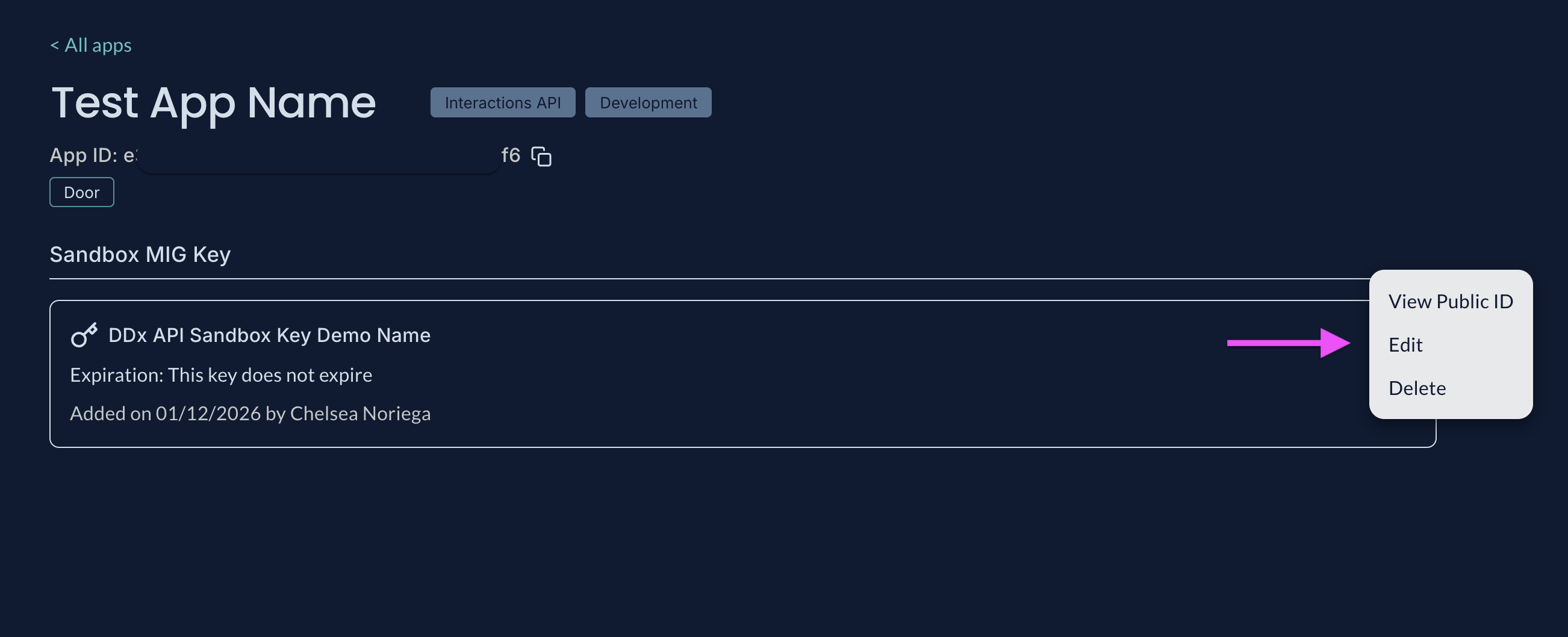
The actions menu will allow you to view the Key Public ID, Edit, or Delete the API key
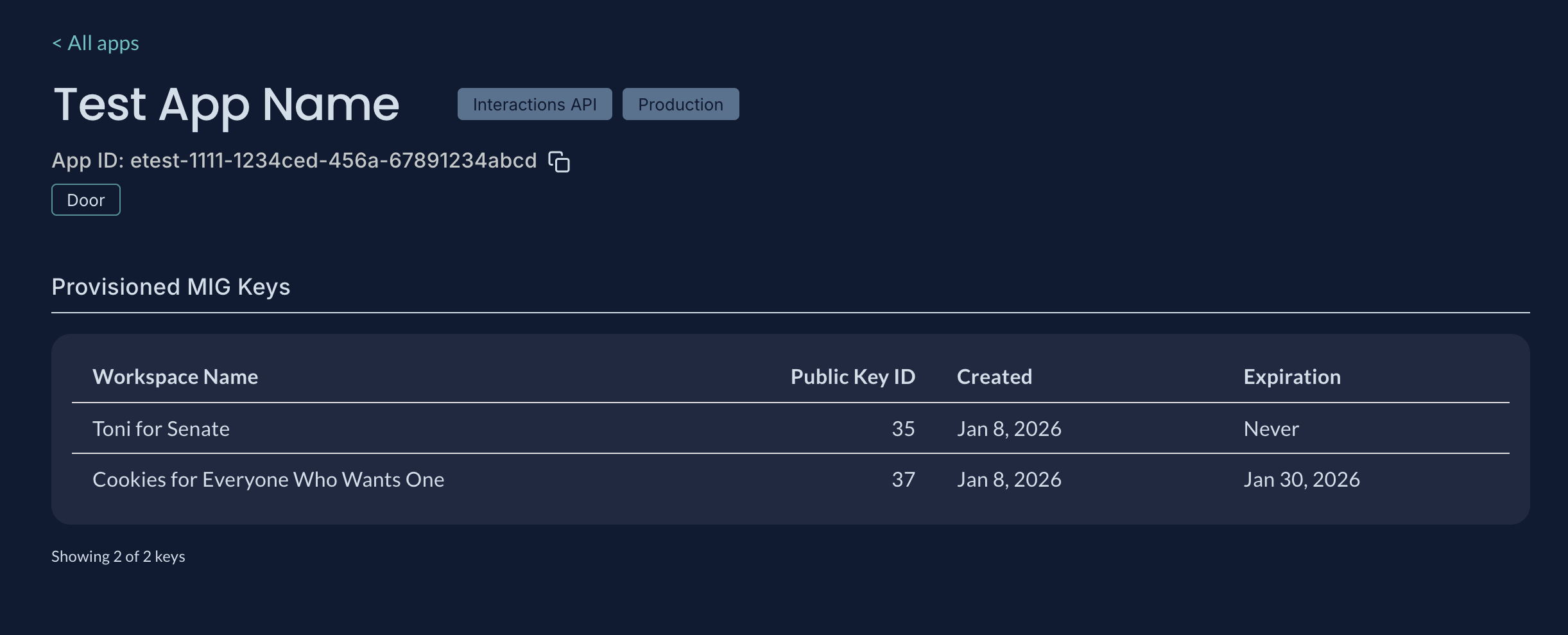
Production Keys
The App Details page allows you to view which Production API Keys are provisioned to your App, the Public Key ID, Workspace Name, and any given expiration date.
Updated 3 months ago